





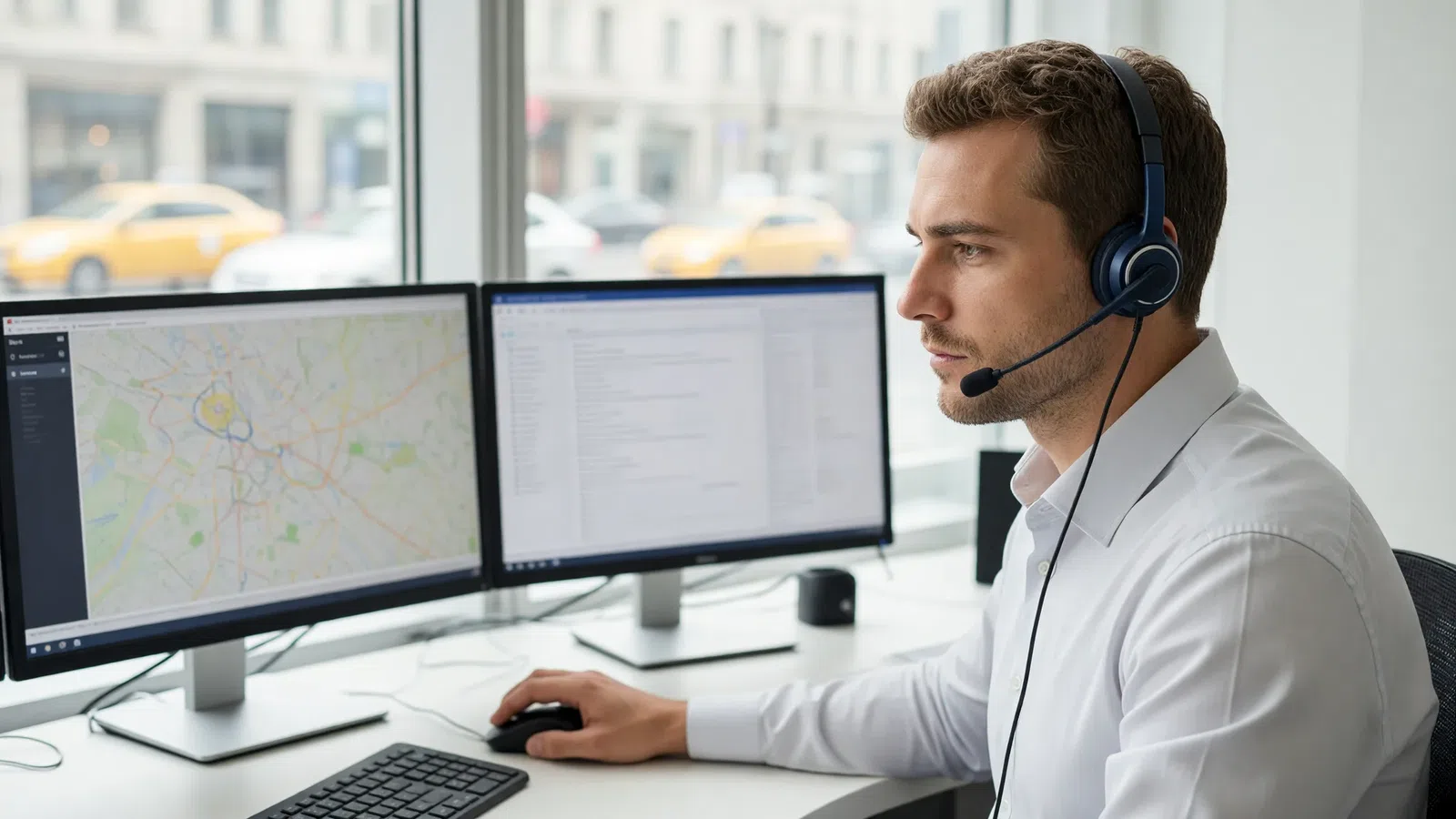
Taxi dispatch software is a system in which the dispatcher takes a call, creates an order, gets an automatic fare calculation and passes the order to a driver, while the owner sees the money and reports. Choose it not by the feature list on a website, but by how quickly and error-free the full order journey runs: call → order → price → driver → payment → report. Below we cover the selection criteria, look separately at small towns, and give you a checklist that makes it easy to test the software before buying.
Taxi dispatch software: what it should do
Every taxi company, even the smallest, handles the same tasks. If the software doesn't cover even one of them, people start doing it by hand, in a notebook, spreadsheet or messaging app, and that's exactly where lost orders and money disputes come from.
| Task | What the software does |
|---|---|
| Take an order | Telephony, order form, address suggestions, customer history |
| Calculate the price | Fares by kilometer and minute, zones, surcharges, discounts |
| Find a driver | Stand queues, broadcast, nearest driver search, manual assignment |
| Manage the trip | Driver app, statuses, taximeter, customer notifications |
| Take payment | Cash, invoicing for organizations, bank cards, bonuses |
| Keep the books | Driver balances, commissions, charges, cash desk |
| Understand the business | Reports on orders, drivers, operators, calls |
If you're only just putting a company together, move on to choosing software once you know your order volumes and your model for working with drivers: your own cars, signed-up drivers with their own cars, or a mix.
10 criteria for choosing a taxi dispatch system
1. Dispatcher speed
At peak hours a dispatcher spends seconds on each order, so look not at how pretty the interface is but at the number of actions. Hotkeys and an order form that opens automatically on an incoming call are good signs. For example, on the Tonotel operator workstation a single F2 key both answers an incoming call and opens a new order tab, with the customer's phone number filled in automatically. If the customer has called before, the system finds their profile and any open order.
2. Built-in telephony
Check whether the software can work with your phone lines and what happens to the call next. Useful features:
- a softphone right in the browser, with no separate program;
- inbound routing: calls to different numbers immediately produce the right order type (for example, a separate number for cargo taxi);
- a greeting and hold music, call recording, a call log;
- an automatic callback to the customer: "Your car is waiting: make, color, plate number…".
It's good when lines connect via SIP and phrases for the greeting and callback can be uploaded as files or generated from text with speech synthesis.
3. Flexible order dispatch
Ask which dispatch strategies are available and whether they can be chained. A typical set:
- from the stand: the order goes to the first driver in the queue at the stand in the pickup area;
- broadcast: all suitable drivers see the order, and the quickest takes it;
- rating-based broadcast: drivers with a high rating see the order earlier;
- nearest driver: a search by road rather than in a straight line, taking into account idle time, rating and group priority.
It's important that strategies apply as a cascade: no driver at the stand, send to broadcast; nobody took it from broadcast, search for the nearest. And the dispatcher should be able to assign a driver manually at any moment.
4. Fares that reflect your economics
A simple "flag fall plus per kilometer" fare is fine at the start, but you'll soon need night fares, suburban zones, fixed airport prices, surcharges for a child seat or luggage, and surcharges when cars are short. Check that all of this can be configured without a programmer.
5. Driver app
Drivers should see orders, stands, the route and the taximeter, update statuses and receive messages from the dispatcher. Check how the app behaves on a poor connection and whether the company can switch features on and off itself: stands, taximeter, store, rating.
6. Passenger app
Your own app takes some calls off the dispatch office and builds your brand, not someone else's. Check for booking with a choice of service class, car tracking, trip history with repeat booking, payment by card and bonuses, and promo codes.
7. Finances and driver control
The software should automatically charge drivers a commission per order, per shift or on a schedule, keep their balance and block a driver whose debt goes below the threshold. Without this, the owner inevitably spends evenings reconciling accounts. If you need taxi software with card payments, check how card acquiring is connected and how money for card-paid trips gets back to the driver's balance.
8. Reports
At a minimum: reports on orders, drivers, shifts, operators and calls with date filters and spreadsheet export. It's a plus if you can build reports yourself for your own questions instead of waiting for custom development.
9. Access rights and security
A dispatcher shouldn't see the cash desk, and a shift supervisor shouldn't be able to change fares. Check how finely permissions can be configured, whether logins can be restricted by IP address, and whether two-factor authentication is available.
10. Delivery model and support
Cloud taxi dispatch software runs in a browser, is updated by the vendor and doesn't need your own server. In effect, you rent the software: you pay for using it rather than buying and maintaining it yourself. Find out which modules are in the base package and which are added separately. For example, in Tonotel some features, such as vehicle photo inspection, driver self-registration, customer mailings and fiscal systems, are add-on modules: if a module isn't connected, its menu item simply isn't there. It's better to find this out before launch than in the middle of operations.
Taxi software without a dispatcher: is it possible?
Partly. Good software takes most of the routine off the dispatcher, but removing the human entirely is rarely possible.
What can be automated:
- Taking orders without a call. An order from the passenger app goes straight into the system with addresses, service class and price. The dispatcher doesn't need to enter it.
- Dispatch. For each order type you set a chain of strategies: from the stand (to the first in the sector's queue), to the nearest driver taking into account idle time, rating and group priority, and broadcast to all suitable drivers. The order moves through the chain by itself.
- Auto-accept. In the broadcast screen a driver can set filters by price, radius or destination zone and turn on auto-accept, if the company allows it: matching orders are accepted without the driver's involvement.
- Customer notifications. SMS, push or an automatic callback about the car and order statuses.
Where a person is still needed:
- phone orders, especially in small towns;
- orders for which the chain found no driver, and advance orders: auto-accept doesn't take future orders;
- disputes, complaints, cancellations and the panic button;
- working with drivers: queues, suspensions, questions in the chat.
A realistic goal isn't a company with no dispatcher, but one dispatcher per shift where you used to need several.
Taxi dispatch software for a small town: what to look for
In a small town the priorities are different. There are fewer orders, anywhere from a handful to a couple of dozen drivers, customers call more often than they use the app, and the IT budget is minimal. What matters here:
- Cloud instead of your own server. No system administrator needed, and the dispatcher can even work from home with an internet connection and a headset.
- Stands and queues. In a small town, drivers often wait at the station, the market or the hospital. A stand queue is the clearest and fairest dispatch method for drivers.
- One-click manual assignment. The dispatcher knows every driver personally and often assigns orders directly; it's convenient when all it takes is typing the call sign right in the order list row.
- Simple fares with zones. Town, suburbs, nearby villages: these are zones with different prices and fixed transfers. For such trips it's convenient to set separate rates and fixed prices in advance.
- Recording street pickups. If a driver picks up a passenger without going through dispatch, it's useful to record the trip in the system so it appears in reports and in the commission calculation. Look for this feature: the driver marks the trip in the app and it's created as a regular order.
- Scaling. If a year from now you open a branch in the next town, it's convenient to run it in the same account as a separate company with its own fares.
Checklist: how to test taxi dispatch software before buying
Before you buy taxi dispatch software, ask for a trial account and work through this list. Each item is a real scenario from your shift.
Taking orders
- [ ] An incoming call opens the order form automatically, with the number already filled in.
- [ ] A regular customer is recognized, and their discount and history are visible.
- [ ] Address suggestions appear quickly and the route is drawn on the map.
- [ ] The price is calculated automatically, and it's clear how it was built up.
- [ ] You can create an advance order for tomorrow.
Dispatch
- [ ] The order goes to a driver from the stand in the pickup area.
- [ ] If nobody takes it, the order automatically moves to broadcast or the nearest driver is searched for.
- [ ] The dispatcher can assign a driver manually and remove an order from a driver.
- [ ] The screen shows who is available, who is on an order and who is on a break.
Driver
- [ ] The driver app receives the order, builds the route and runs the taximeter.
- [ ] The dispatcher can message a driver or ask a question with preset answers.
- [ ] There's a panic button, and the alert shows up on the workstation.
Passenger
- [ ] The customer gets an SMS or push notification about the assigned car.
- [ ] The passenger app runs under your brand.
- [ ] Customers can pay by card, with bonuses or under an organization's contract.
Money and reports
- [ ] The driver is automatically charged a commission according to your rules.
- [ ] A driver in debt is blocked automatically.
- [ ] A daily order report builds in a minute and exports to a spreadsheet.
Administration
- [ ] The dispatcher, shift supervisor and accountant have different permissions.
- [ ] Changing fares doesn't require contacting a developer.
- [ ] It's clear how telephony, the SMS gateway and card acquiring are connected.
Questions to ask the vendor
| Question | Why ask |
|---|---|
| What's in the base package, and what's added separately? | So you don't find a module you need is unavailable after launch |
| How are phone lines and SMS connected? | Telephony is the heart of dispatch; order-taking speed depends on it |
| Will the passenger and driver apps carry our brand? | Your own brand in the app stores is a company asset |
| Which payment providers are available in our country? | It determines whether you can accept cards |
| Who helps with the initial setup of fares, zones and stands? | A correct initial setup saves weeks |
| How is the usage fee calculated? | So you can estimate costs as your driver count grows |
| Can we run several cities or brands? | Useful when you expand |
Common mistakes when choosing
- Choosing by license price. Cheap software in which a dispatcher spends twice as long per order ends up costing more in wages and lost customers.
- Not testing on your own scenarios. A vendor demo always follows the ideal path. Work through the checklist yourself.
- Ignoring drivers. If drivers find the app awkward or the queue unclear, they'll leave, however convenient the dispatch side is.
- Putting finances off until later. Commission and balance accounting need to be set up from day one, or driver debts will grow unnoticed.
- Confusing stands with fare zones. A stand determines who takes the trip; a zone determines what it costs. Good software keeps them separate, and they need to be configured separately too.
Free taxi dispatch software: is it worth it?
Completely free taxi dispatch software is tempting at the start, but weigh the risks before choosing:
- Updates. Maps, phone operating systems and app store requirements change. If nobody updates the software, the driver and passenger apps eventually stop working.
- Support. When orders aren't being dispatched on a Friday evening, it matters whether there's someone to call.
- Data. Find out where the customer base and order history are stored, who has access to them and whether you can export them if you decide to leave.
- Apps. A free solution is often limited to the dispatch side, with no branded passenger app, card acquiring or telephony.
Compare not the license price but the total cost of ownership: dispatcher time, lost orders and the cost of migrating to another system later.
How the launch goes: step-by-step plan
- Decide on the model: your own cars, signed-up drivers or a mix.
- Write out your fares on paper: flag fall, kilometer, minute, zones, night, surcharges.
- Divide the city into stands for dispatch and larger zones for fares.
- Connect phone lines, the SMS gateway and, if needed, card acquiring.
- Add drivers and cars, groups and work terms (commissions).
- Set up order types, payment types and the dispatch chain.
- Run test orders of each type and check the price, dispatch and notifications.
- Train dispatchers on hotkeys and working with stands.
- Launch the passenger app and start moving regular customers to it.
Frequently asked questions
What software does a taxi dispatch office need?
You need a system that combines call handling, an order form with automatic fare calculation, dispatching orders to drivers, driver and passenger apps, driver balance accounting and reports. Spreadsheets and messaging apps stop coping at a few dozen orders a day.
Is cloud taxi dispatch software suitable for a small town?
Yes, for a small town cloud software is usually the most convenient: you don't need your own server or a system administrator, the dispatcher works from a browser, and you pay for usage rather than development. It's important that the software has stands and queues, manual driver assignment and simple telephony.
What should I check before buying taxi dispatch software?
Use a trial account to test the full order journey: the call, order creation, fare calculation, dispatch, the driver's work in the app, payment and the report. Find out which modules are included in the base package and which are added separately, how telephony, SMS and card acquiring are connected, and who helps with the initial setup.
Can I run several cities in one taxi dispatch system?
Many cloud systems allow this. For example, in Tonotel you can create several virtual companies within one account: separate brands or cities with their own fares, drivers and settings, while some directories remain shared.
Do I still need a dispatcher if I have a passenger app?
In most companies, yes. Some customers keep calling by phone, especially in small towns, and the dispatcher also monitors dispatch, resolves disputes and works with drivers. The app reduces the load on the dispatch office but rarely replaces it completely.
Can taxi dispatch software accept online card payments?
Yes, if the software supports card acquiring. In Tonotel the company connects a payment gateway, and the passenger adds a bank card in the app and selects it when booking. The list of available payment providers depends on the country. For card payments, the payment type has a driver compensation setting: the customer doesn't pay the driver, so the company credits the trip cost to the driver's balance. Drivers, in turn, can top up their balance by card.
Summary
Good dispatch software is invisible: the dispatcher doesn't think about buttons, drivers understand why an order went to them, and the owner sees the money without manual reconciliation. Choose by the full order journey, test on your own scenarios and find out in advance which modules and integrations you'll need a year from now. If you want to see what this journey looks like in Tonotel, from call to report, walk through it with the checklist from this article.